
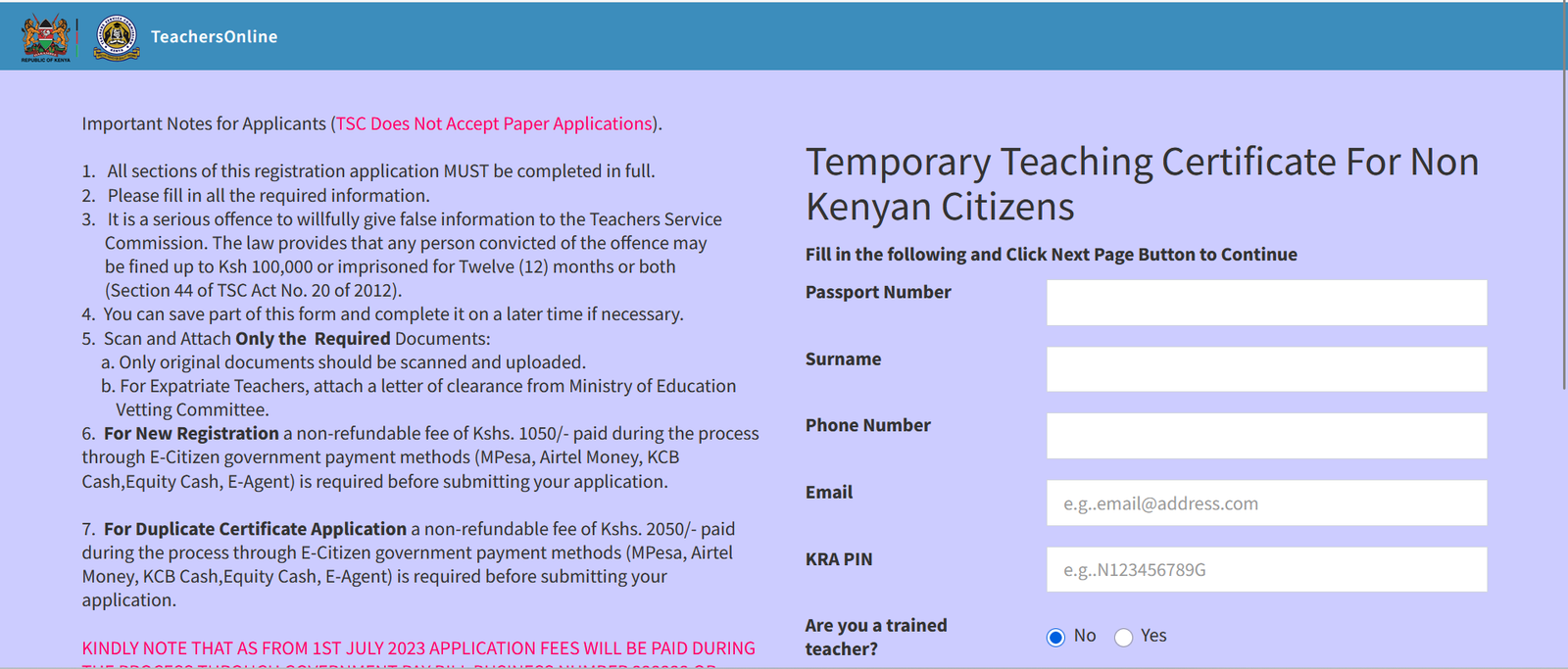
The TSC Wealth Declaration Portal is an important online service for teachers employed by the Teachers Service Commission (TSC) in Kenya. Through the portal, teachers can submit their Declaration of Income, Assets and Liabilities (DIAL) electronically without relying on lengthy paperwork.
Wealth declaration is an important part of promoting transparency, accountability, and ethical conduct within Kenya’s public service. For teachers, understanding how the TSC Wealth Declaration Portal works can make the declaration process easier and help prevent last-minute problems.
In this guide, we explain what the TSC Wealth Declaration Portal is, how teachers can access it, what information may be required, and some useful tips for completing the declaration successfully.
What Is the TSC Wealth Declaration Portal?
The TSC Wealth Declaration Portal is an online platform that enables eligible TSC employees to submit their Declaration of Income, Assets and Liabilities.
The declaration provides information about an employee’s financial position, including relevant income, assets, and liabilities. Moving the process online makes it easier for teachers to submit their declarations electronically and provides a more organized way of managing the information.
Teachers should always use the official TSC online-services platform and follow the latest instructions issued by the Commission.
Why Is Wealth Declaration Important for Teachers?
Teachers working under TSC are public officers and are therefore subject to public-service accountability and ethics requirements.
Wealth declaration helps promote:
- Transparency in public service
- Accountability among public officers
- Ethical conduct
- Identification of potential conflicts of interest
- Proper disclosure of income, assets, and liabilities
For this reason, teachers should take the wealth declaration exercise seriously and ensure that the information they submit is accurate and complete.
Who Is Required to Make a TSC Wealth Declaration?
The wealth declaration requirement applies to employees who fall under the relevant public-service and TSC requirements.
TSC may issue notices, circulars, or other official communications regarding the declaration exercise, including applicable deadlines and instructions.
Because requirements and deadlines can change, teachers should check the latest information from TSC rather than relying solely on older articles or social-media posts.
How to Access the TSC Wealth Declaration Portal
Teachers can access TSC’s online services through the Commission’s official website.
The general process is:
- Visit the official Teachers Service Commission website.
- Go to the Online Services section.
- Select the relevant Teachers Online service.
- Log in using your TSC account credentials.
- Find the Wealth Declaration / Declaration of Income, Assets and Liabilities section.
- Follow the instructions displayed on the portal.
For security reasons, avoid entering your TSC login information on websites that are not officially associated with TSC.
Information Needed for Wealth Declaration
Before starting the process, it is helpful to have your financial records available.
The information requested may include details relating to:
1. Income
Teachers may be required to provide information about their employment income and other applicable sources of income.
2. Assets
Assets may include property, vehicles, investments, bank-related financial interests, businesses, and other relevant possessions or interests.
3. Liabilities
You may need to provide information about applicable financial obligations, such as loans, mortgages, or other debts.
4. Other Financial Interests
Depending on the declaration form and applicable requirements, additional information about financial interests may be requested.
The exact information required can vary, so teachers should follow the instructions displayed on the current TSC declaration system.
Step-by-Step Guide to Completing the TSC Wealth Declaration
Step 1: Prepare Your Information
Before logging into the portal, gather the financial information you may need.
Having your records ready can reduce errors and make the process much faster.
Step 2: Log In to TSC Online Services
Open the official TSC online-services platform and sign in using your required credentials.
If you have forgotten your login details, use the available account-recovery procedure rather than creating an unofficial account.
Step 3: Select Wealth Declaration
After signing in, look for the option related to Declaration of Income, Assets and Liabilities or Wealth Declaration.
The portal’s layout may change when TSC updates its online services, so follow the current options displayed on the website.
Step 4: Check Your Personal Details
The system may display information associated with your TSC account.
Check your personal information carefully. If you notice an important error, find out how it should be corrected before completing your declaration.
Step 5: Enter Your Income Details
Provide the income information requested by the system.
Make sure the figures you enter are accurate and consistent with your available records.
Step 6: Enter Your Assets
Provide details of the assets requested by the declaration form.
Do not guess when accurate information is available. Review your records before entering financial figures or ownership information.
Step 7: Enter Your Liabilities
Enter applicable loans, mortgages, debts, or other liabilities requested by the system.
Again, use accurate information and check your figures carefully.
Step 8: Review Everything
Before submitting, go through every section carefully.
Check:
- Personal information
- Income
- Assets
- Liabilities
- Ownership details
- Financial figures
- Required declarations and confirmations
Correct any mistakes before final submission.
Step 9: Submit Your Declaration
Once you are satisfied that the information is accurate, submit the declaration through the portal.
If the system provides an acknowledgement or confirmation, keep a copy for your records.
Common Problems When Using the TSC Wealth Declaration Portal
Although online services make the process easier, teachers may sometimes experience difficulties.
Forgotten Login Details
If you cannot remember your password or other login information, use the official recovery options provided by TSC.
Avoid sharing your password with another person.
Portal Downtime
The website may occasionally be unavailable because of maintenance, technical problems, or heavy traffic.
If this happens, try again later and check official TSC communications for announcements.
Slow Internet Connection
A poor internet connection can interrupt the declaration process.
Where possible, use a reliable internet connection and avoid submitting important information when your connection is unstable.
Difficulty Finding the Declaration Section
TSC periodically updates its online systems. The location or appearance of the wealth declaration option may therefore change.
Check the latest TSC instructions if you cannot find the relevant service.
Tips for a Successful Wealth Declaration
Start Early
Do not wait until the final day. Starting early gives you enough time to collect documents and resolve technical problems.
Keep Your Financial Records Ready
Having information about your income, assets, and liabilities available can make the process considerably easier.
Review Your Information
A declaration should not be submitted without checking the information carefully.
Protect Your Login Credentials
Never share your TSC password or other sensitive login information with strangers.
Use Official Sources
When looking for information about deadlines, procedures, or portal access, rely on official TSC communications whenever possible.
Save Your Confirmation
After successfully submitting your declaration, retain any confirmation or acknowledgement generated by the system.
What Happens After Submission?
After submitting your wealth declaration, the information is processed through the relevant TSC system and procedures.
Teachers should retain proof of submission and monitor official communications if further action is required.
If TSC requests clarification or additional information, respond according to the instructions provided by the Commission.
TSC Wealth Declaration Deadline
One of the most important things teachers should monitor is the official deadline for the current wealth declaration exercise.
Deadlines can differ between declaration periods. Therefore, teachers should not rely on a deadline published in an old blog post, Facebook post, or WhatsApp message.
Instead, check the latest official communication from TSC for the applicable declaration period.
Is TSC Wealth Declaration Mandatory?
Where a teacher falls within the employees required to make a declaration, completing the declaration is an important compliance obligation.
Failure to comply with applicable requirements may have consequences under the relevant laws, regulations, and TSC procedures.
If you are unsure whether you are required to make a declaration, consult the latest TSC guidance or contact the Commission through its official channels.
Final Thoughts
The TSC Wealth Declaration Portal has made the wealth declaration process more convenient by allowing teachers to submit their financial declarations electronically.
The key to completing the process successfully is preparation. Gather the necessary financial information, use the official TSC platform, enter accurate details, carefully review your declaration, and submit it before the applicable deadline.
Frequently Asked Questions About the TSC Wealth Declaration Portal
1. What is the TSC Wealth Declaration Portal?
The TSC Wealth Declaration Portal is an online platform used by eligible Teachers Service Commission employees in Kenya to submit their Declaration of Income, Assets and Liabilities (DIAL).
2. Who is required to submit a TSC wealth declaration?
Teachers and other TSC employees who fall under the applicable public-service wealth declaration requirements are expected to submit their declarations as instructed by the Teachers Service Commission.
3. What does DIAL stand for?
DIAL stands for Declaration of Income, Assets and Liabilities. It is the financial declaration submitted by an employee to disclose relevant income, assets, and liabilities.
4. How do I access the TSC Wealth Declaration Portal?
You can access the wealth declaration service through the official TSC online-services platform. Teachers should use the official TSC website and follow the current instructions provided by the Commission.
Also Read: TechSnapperz: A Complete Guide to Technology, Gadgets and Digital Trends
5. What information do I need to complete my wealth declaration?
You may need information about your income, properties, vehicles, investments, bank-related financial interests, businesses, loans, mortgages, and other applicable assets and liabilities.
6. Can I submit my TSC wealth declaration online?
Yes. The TSC wealth declaration process is designed to allow eligible employees to submit their declarations electronically through the online system.
7. What should I do before starting my declaration?
Prepare relevant financial records and information about your income, assets, and liabilities. Having this information ready can help you complete the declaration accurately and efficiently.
8. Can I complete the TSC wealth declaration using a mobile phone?
The online platform may be accessible through an internet-enabled smartphone. However, using a computer or laptop can provide a more convenient experience when entering detailed financial information.
9. What should I do if I forget my TSC login details?
Use the official account-recovery or password-reset options provided by TSC. Avoid sharing your login credentials with anyone.
10. What if the TSC Wealth Declaration Portal is not working?
Check your internet connection and try again later. If the problem continues, check official TSC communications for information about system maintenance or technical problems.
11. Is TSC wealth declaration mandatory?
For employees who are required to make a declaration under the applicable rules and TSC instructions, completing the wealth declaration is an important compliance requirement.
12. What happens after I submit my wealth declaration?
Your declaration is submitted electronically through the TSC system for processing. If the portal provides a confirmation or acknowledgement, save it for your records.
13. Can I change my declaration after submitting it?
Whether a submitted declaration can be amended depends on the functionality available in the current TSC system and the applicable procedures. If you discover an error after submission, contact TSC through its official channels for guidance.
14. What is the deadline for TSC wealth declaration?
The deadline depends on the particular declaration exercise. Teachers should check the latest official TSC announcement or communication for the applicable deadline rather than relying on an outdated date.
15. What happens if I fail to submit my wealth declaration?
Failure to comply with an applicable wealth declaration requirement may have consequences under the relevant laws, regulations, and TSC procedures. Teachers should submit their declarations within the specified period.
16. Is my wealth declaration information confidential?
Wealth declaration information is handled under the applicable legal, administrative, and data-protection requirements. Teachers should ensure that they submit sensitive financial information only through the official TSC platform.
17. Where can I get help with TSC wealth declaration?
For official assistance, teachers should contact the Teachers Service Commission through its official communication channels or consult the latest TSC wealth declaration instructions and guidance.
18. Why should I complete my wealth declaration early?
Completing the declaration early gives you enough time to gather financial information, correct mistakes, and resolve any login or technical problems before the deadline.
19. How can I avoid mistakes in my wealth declaration?
Prepare your financial records beforehand, enter accurate information, review every section carefully, and verify the figures before submitting the declaration.
20. Where can I find the latest TSC wealth declaration instructions?
The latest instructions should be obtained from the official Teachers Service Commission website and current TSC communications. Procedures, deadlines, and portal features may change between declaration periods.
