
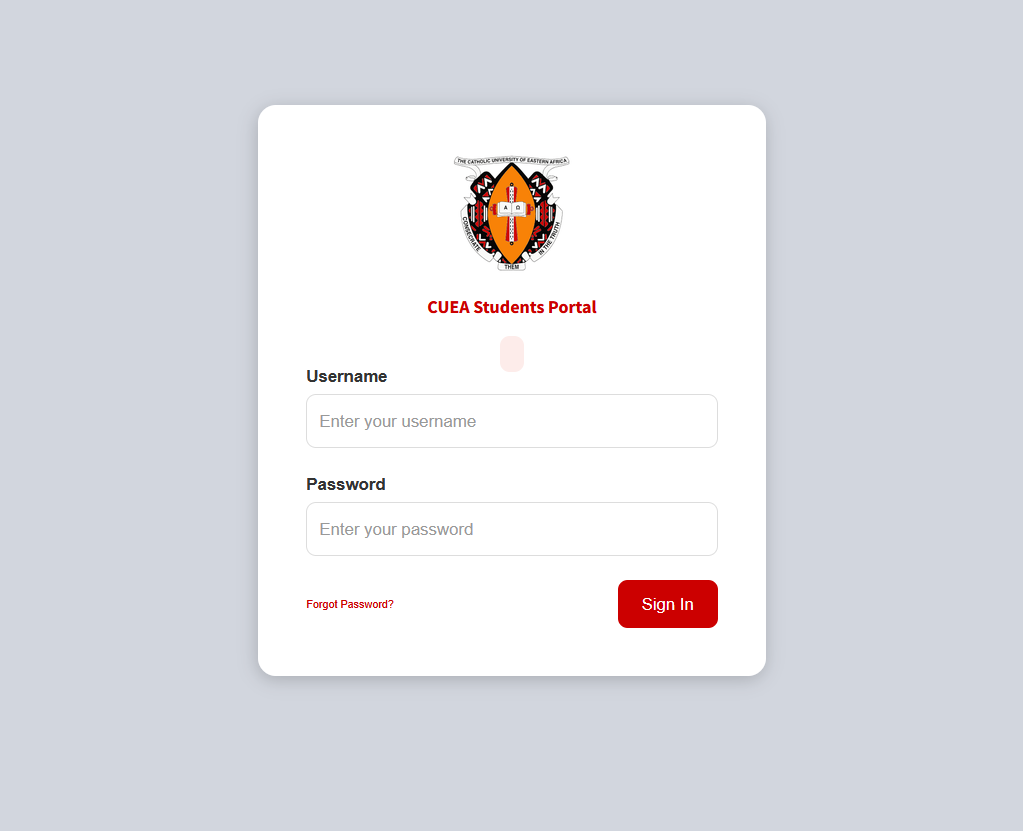
The CUEA Student Portal is an online platform designed to make academic and administrative services easier for students of the Catholic University of Eastern Africa (CUEA). Instead of visiting university offices for every routine task, students can use online systems to access important information and complete various academic activities.
From unit registration and fee information to academic records and student services, the CUEA online portal provides students with a convenient way to manage their university activities.
In this complete guide, we explain the CUEA Student Portal login process, registration, fees, results, password recovery, eLearning services, and common login problems.
What Is the CUEA Student Portal?
The CUEA Student Portal is an online student management system used by students of the Catholic University of Eastern Africa.
The platform is intended to provide convenient access to academic and administrative services. Depending on the student’s programme and account, available services may include:
- Student registration
- Unit or course registration
- Academic information
- Examination-related services
- Fee and invoice information
- Student records
- Other university services
CUEA also operates separate systems for admissions and Open, Distance and eLearning (ODeL), so students should use the appropriate platform for each service.
CUEA Student Portal Login
Students with active accounts can access the CUEA Student Portal using their registered login credentials.
How to Log In to the CUEA Student Portal
Follow these general steps:
- Open a reliable web browser such as Chrome, Firefox, or Edge.
- Visit the official CUEA Student Portal.
- Enter your registered username or other required login details.
- Enter your password.
- Check that your credentials are correct.
- Click Login.
- Once authenticated, your student dashboard should appear.
Students should always verify that they are using an official CUEA website before entering personal or login information.
CUEA Student Portal Registration
Registration is an important process for continuing students. CUEA’s student information and registration procedures require students to register for the appropriate units for their programme and academic period.
How to Register for CUEA Units
The general process involves:
- Log in to the CUEA Student Portal.
- Open the unit or course registration section.
- Review the available units.
- Select the units required for your programme.
- Check your selections carefully.
- Submit the registration.
- Confirm that your registration was successful.
- Generate or review your invoice if required.
Students should complete registration before the deadline published by the university.
CUEA Online Admission and Registration
New applicants should distinguish between the Student Portal and CUEA’s Online Self-Service admissions platform.
The online admissions system allows applicants to create accounts, provide personal and academic information, submit applications, and track their application process.
After admission and enrollment, students may then receive access to student-specific university systems.
CUEA Student Portal Fees
Fee management is another important part of university administration.
Students may use the available online services to review their financial information, invoices, payments, or outstanding balances.
A student’s fee information can depend on factors such as:
- Programme of study
- Number of registered units
- Academic period
- Student category
- University-approved charges
How to Check CUEA Fees
A typical process is:
- Log in to your CUEA student account.
- Open the Fees, Finance, or relevant financial section.
- Review your invoice or fee statement.
- Check your payments and outstanding balance.
- Download or print the information if the portal provides the option.
Students should always confirm current tuition and other charges through official CUEA sources because fee structures can change.
CUEA Student Portal Results
Students may also use CUEA’s online academic systems to access examination and academic information after results have been released.
How to Check CUEA Results Online
- Log in to your student account.
- Navigate to the academic or examination section.
- Select the relevant semester, trimester, or examination period.
- View your available results.
- Download or print the results if the option is provided.
If your results are unavailable or you believe there is an error, contact the relevant academic department or CUEA support office.
CUEA ODeL and eLearning Portal
CUEA provides an Open, Distance and eLearning (ODeL) platform for students involved in online and distance learning.
The eLearning platform can provide access to:
- Course materials
- Online assignments
- Quizzes
- Virtual classes
- Online examinations
- Discussion forums
- Academic activities
Students should understand that the ODeL/eLearning platform and the main Student Portal are different systems. The Student Portal focuses primarily on student administration, while ODeL supports online learning activities.
How to Reset Your CUEA Portal Password
Forgetting your password can prevent you from accessing important student services. If the portal provides a password-recovery option, students should use it rather than repeatedly entering incorrect passwords.
General Password Reset Process
- Open the relevant CUEA login page.
- Click Forgot Password or the equivalent option.
- Enter your registered username or email address.
- Submit the request.
- Check your email for password-reset instructions.
- Follow the instructions provided.
- Create a new password.
- Return to the portal and log in again.
If you cannot reset your password through the online system, contact CUEA support.
Common CUEA Student Portal Login Problems
Students may occasionally experience difficulties accessing the portal. Here are some common problems and possible solutions.
Incorrect Username or Password
Double-check your login credentials. Make sure Caps Lock is not enabled and that there are no unnecessary spaces.
Forgotten Password
Use the official password-recovery option available on the relevant CUEA platform.
Portal Not Loading
Check your internet connection and refresh the page. You can also try another browser or device.
Browser Problems
An outdated browser may cause compatibility issues. Try using an updated version of Chrome, Firefox, Edge, or another supported browser.
Account Not Activated
New students may need to complete account activation or registration before accessing particular services.
System Maintenance
Sometimes an online university system may be temporarily unavailable because of maintenance or technical problems. If everything appears correct on your end, try again later or contact university support.
CUEA Student Portal Support
If you experience persistent technical or account-related problems, contacting CUEA’s support team is usually the best option.
When requesting assistance, provide useful information such as:
- Your student number
- Your name
- The service you are trying to access
- A description of the problem
- Any error message displayed
- A screenshot, if appropriate
Never send your password to anyone claiming to provide technical support.
Tips for Using the CUEA Student Portal Safely
Students should follow basic cybersecurity practices when using university online systems.
- Use only official CUEA websites and links.
- Keep your username and password private.
- Use a strong password.
- Avoid logging in on unsecured public computers.
- Log out after using a shared device.
- Do not click suspicious links sent by unknown people.
- Keep your registered email account secure.
- Regularly check your student account for important information.
- Contact CUEA support if you suspect unauthorized access.
CUEA Student Portal vs Admissions Portal vs ODeL
CUEA has different online platforms for different purposes. Understanding their roles can make it easier to find the service you need.
| Platform | Main Purpose |
|---|---|
| CUEA Student Portal | Student academic and administrative services |
| CUEA Online Self-Service | Admissions and application services |
| CUEA ODeL/eLearning | Online and distance learning |
| CUEA Helpdesk | Technical and support services |
New applicants should use the admissions system, while registered students generally use student systems for academic administration. ODeL students may also need the separate eLearning platform for their online coursework.
Benefits of the CUEA Student Portal
The online portal offers several advantages for students.
Convenience
Students can access services online without visiting university offices for every routine task.
Faster Access to Information
Academic and administrative information can be accessed through a centralized online system.
Easier Registration
Online unit registration can make it easier for students to select and confirm their courses.
Financial Monitoring
Students can review relevant fee and invoice information online.
Digital Learning Support
Students enrolled in online programmes can use the ODeL platform to access digital learning resources.
Final Thoughts
The CUEA Student Portal is an important digital resource for students at the Catholic University of Eastern Africa. It helps students manage various academic and administrative activities, including registration, academic information, and fee-related services.
CUEA also maintains separate online systems for admissions and ODeL/eLearning. Using the correct platform is therefore important when trying to access a particular service.
If you are experiencing login or registration problems, check your credentials first, try an updated browser, and contact the appropriate CUEA support department if the issue continues.
For current login links, fees, registration deadlines, admission requirements, and other university information, students should always verify details through official CUEA channels.
Frequently Asked Questions About CUEA Student Portal
What is the CUEA Student Portal?
The CUEA Student Portal is an online platform that provides students with access to various academic and administrative services at the Catholic University of Eastern Africa.
How do I log in to the CUEA Student Portal?
Open the official CUEA Student Portal, enter your registered login credentials, and select the Login option.
What services are available on the CUEA Student Portal?
Available services may include unit registration, academic information, examination-related services, fee information, invoices, and other student administrative services.
Also Read: Infofirstnews com: Features, Categories, Usage, Safety and Future
How do I register for CUEA units?
Log in to your student account, open the unit registration section, select the appropriate units, confirm your choices, and submit the registration.
Can I check my CUEA fees online?
Students may be able to access invoices, fee information, payments, and outstanding balances through the relevant CUEA student system.
Can I check CUEA examination results online?
Academic and examination information may be available through the relevant CUEA online student system after results have been released.
What should I do if I forget my CUEA password?
Use the Forgot Password option on the appropriate CUEA login page and follow the recovery instructions.
Is the CUEA ODeL platform the same as the Student Portal?
No. The ODeL/eLearning platform is primarily designed for online learning activities, while the Student Portal focuses on student academic and administrative services.
What should I do if the CUEA portal is not working?
Check your internet connection, verify your login credentials, try an updated browser, and try again later. If the problem continues, contact CUEA support.
Does CUEA have an online admissions system?
Yes. CUEA provides an online admissions/self-service system for applicants to create accounts, submit applications, and manage admission-related activities.
Is the CUEA Student Portal available on mobile phones?
The portal can generally be accessed through a web browser on a smartphone, provided the device has a reliable internet connection and the website is compatible with the browser.
Why should students use the official CUEA portal?
Using official university websites helps students avoid outdated information, phishing websites, and potentially fraudulent login pages.
