
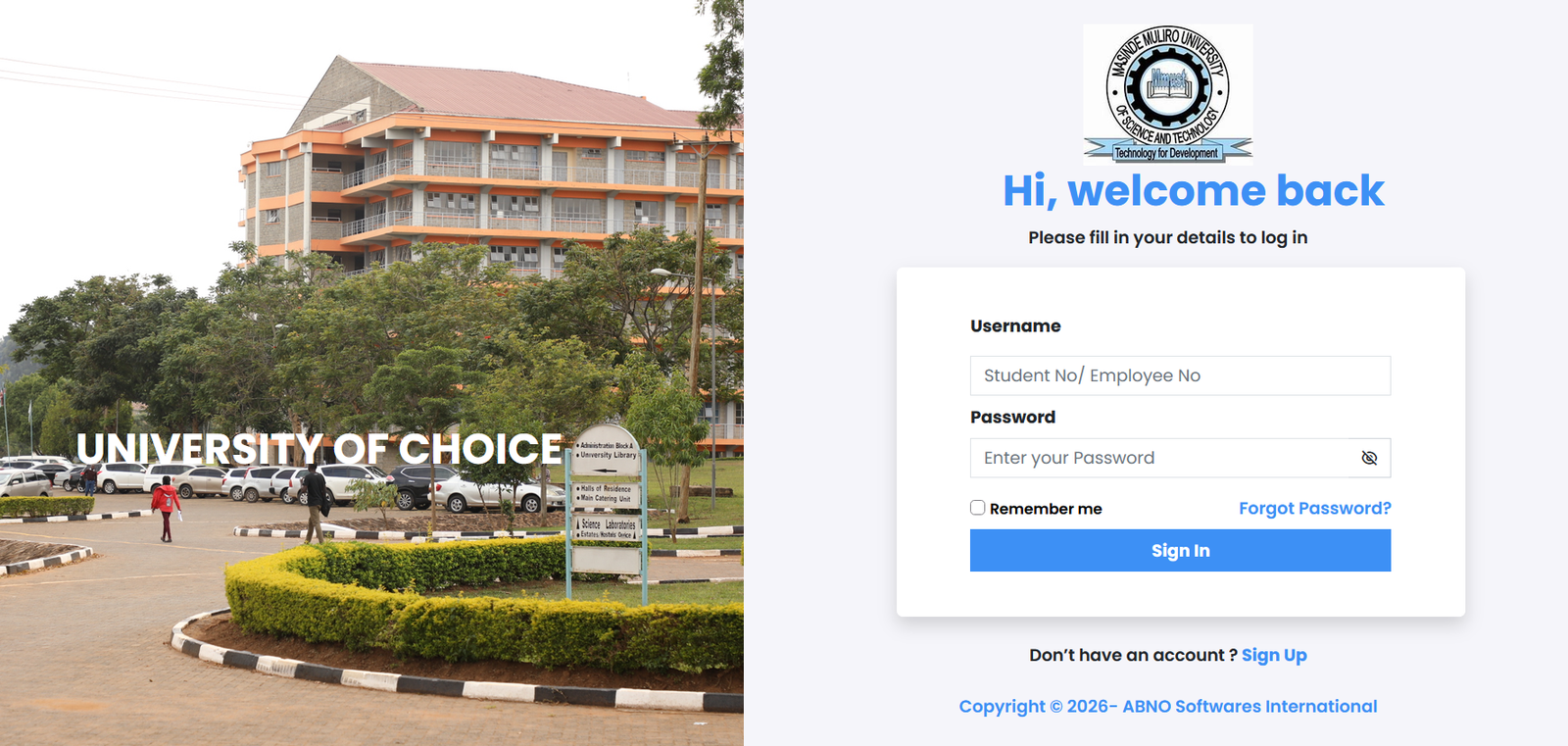
The Masinde Muliro University of Science and Technology (MMUST) Student Portal is an online platform that helps students access important academic information and university services. From checking student records to managing accommodation requests and accessing academic resources, the portal makes it easier for students to handle various university activities online.
Masinde Muliro University of Science and Technology is a public university located in Kakamega, Kenya. The institution provides educational opportunities across different academic disciplines and uses digital platforms to support students throughout their academic journey.
In this blog post, we will explain how to access the MMUST Student Portal, how to log in, the services available to students, and how to solve common login problems.
What Is the MMUST Student Portal?
The MMUST Student Portal is an online system designed to help students access university-related information and services. It provides a convenient way to manage certain academic and administrative tasks without visiting university offices for every request.
Students can use the relevant university systems to access their profiles, find academic resources, review announcements, and complete other activities supported by their accounts.
The portal is particularly useful for newly admitted students who need to become familiar with the university’s online services.
How to Access the Masinde Muliro University Student Portal
Students can begin by visiting the university’s official website and following the available student portal link.
Official Student Portal: https://portal.mmust.ac.ke/
Follow these steps to log in:
- Open your preferred web browser on a computer or smartphone.
- Visit the official MMUST Student Portal.
- Enter your student registration number or the username requested by the system.
- Type your password in the appropriate field.
- Click the login button to access your account.
- Once logged in, navigate to the relevant section to find the services available to you.
Make sure you enter the correct login details. If you are a new student, you may need to activate or register your account before logging in.
How to Register for an MMUST Student Portal Account
New students may need to complete an account registration or activation process before they can use the portal.
The general steps are as follows:
- Visit the official MMUST Student Portal.
- Look for the registration or sign-up option, if available.
- Enter your student registration number and any other requested details.
- Follow the instructions to create or activate your account.
- Set a secure password if prompted.
- Complete any required email verification.
- Return to the login page and access your account.
The exact procedure may vary depending on the account type and current university requirements. If you cannot find a registration option, contact the university’s ICT support team for guidance.
Main Features of the MMUST Student Portal
The university provides several online resources to support students. Available features may vary depending on the system and your account permissions.
1. Student Profile Management
Students may be able to review or update personal information through the designated student system. Keeping your contact details accurate is important because the university may use them to communicate important announcements.
MMUST also provides a Student Portal Update Guide on its official website to help students with profile-related tasks.
2. Academic Information
The university’s online systems and student information pages help learners access relevant academic information. Students should check the official resources for updates concerning their programmes, academic requirements, and university activities.
3. Examination Timetables and Resources
Examinations are an important part of university life. Students should regularly check official university announcements and student information pages for examination timetables, relevant forms, and other academic resources.
4. Hostel and Accommodation Booking
Students who require university accommodation should check the designated accommodation or hostel booking system when applications are open.
Follow the instructions provided by the university and submit the required information before the stated deadline. Accommodation allocation may depend on availability and eligibility.
5. Fee Payment Information
Students should follow the university’s official fee payment procedures and use the approved payment channels. Always retain your payment confirmation and receipt for future reference.
If a payment is not reflected in your student records, contact the university’s Finance Office for assistance.
6. E-Learning Resources
MMUST supports digital learning through its online educational resources. Students should use the appropriate university e-learning platform to access course materials and other resources made available by their lecturers.
Visit the official university website to locate the relevant online learning services.
How to Reset Your MMUST Student Portal Password
Forgetting your password can make it difficult to access your account. If you experience this problem, follow these general steps:
- Open the MMUST Student Portal login page.
- Look for the Forgot Password option.
- Select it and follow the recovery instructions.
- Provide the requested account information.
- Check your registered email if the system sends recovery instructions.
- Create a new password if prompted.
- Return to the login page and try again.
If the password recovery option is unavailable or you cannot reset your password, contact the university’s ICT support team. Never share your password with other people.
Common MMUST Student Portal Problems and Solutions
Students may sometimes experience difficulties while using the portal. The following solutions can help with common issues.
Incorrect login details: Check your registration number, username, and password carefully before trying again.
Forgotten password: Use the official password recovery process or ask the university’s ICT support team for assistance.
Account not activated: Confirm that you have completed the required registration or activation steps.
Portal not opening: Check your internet connection, refresh the page, or try another browser.
Student information not updated: Contact the relevant university office to verify your records.
Payment not reflected: Keep your payment receipt and contact the Finance Office to confirm the transaction.
If a problem continues, use the university’s official communication channels rather than sharing your details with unofficial service providers.
Tips for Using the MMUST Student Portal Effectively
To make the most of the portal, students should follow a few simple practices:
- Bookmark the official portal address for easy access.
- Keep your registration details and contact information accurate.
- Use a strong password and keep it confidential.
- Log out after using a shared computer.
- Check official university announcements regularly.
- Keep copies of important payment receipts and academic documents.
- Complete registrations and applications before their deadlines.
- Contact the relevant university office whenever you need official assistance.
Following these practices can help you use the portal more safely and avoid unnecessary delays.
MMUST University Contact Information
If you have questions about your student account, registration, or other university services, consult the official university website for the latest contact information.
- University name: Masinde Muliro University of Science and Technology
- Location: Kakamega, Kenya
- Official website: https://mmust.ac.ke/
- Student Portal: https://portal.mmust.ac.ke/
The official website provides access to university announcements, student information, and other institutional resources.
Conclusion
The Masinde Muliro University Student Portal is an important online resource for students who need convenient access to university services and academic information. Understanding how to log in, manage your account, find student resources, and resolve common problems can make your university experience easier.
Whether you are a newly admitted student or a continuing learner, use the official MMUST website and portal to find the information relevant to your studies. Keep your login details secure and contact the university directly if you need assistance with your account.
(FAQs) About MMUST Student Portal
1. What is the MMUST Student Portal?
The MMUST Student Portal is an online platform associated with Masinde Muliro University of Science and Technology that helps students access university services, manage student information, and find relevant academic resources.
2. How do I access the Masinde Muliro University Student Portal?
You can access the portal by visiting the official link: https://portal.mmust.ac.ke/. Enter your registered username and password to log in.
3. How do I log in to the MMUST Student Portal?
Visit the portal login page, enter your student registration number or required username, provide your password, and click the login button.
4. How can I reset my MMUST Student Portal password?
Visit the portal and look for the password recovery option. Follow the instructions provided. If you cannot reset your password, contact the university’s ICT support team.
Also Read: DeepSeekPlay com: A Complete Guide to Features, Uses, Benefits, and Safety
5. Can new students register on the MMUST Student Portal?
Yes, eligible new students may need to register or activate their accounts before accessing the available services. Follow the instructions on the official portal or contact the university for assistance.
6. What services are available on the MMUST Student Portal?
Depending on your account and the services currently available, you may be able to access student information, academic resources, accommodation services, and other university-related information.
7. Can I check examination timetables through MMUST online services?
Students can consult the university’s official student information pages and announcements for examination timetables and other examination-related resources.
8. Can I use the MMUST Student Portal on my mobile phone?
Yes, you can open the portal using a smartphone browser with an internet connection. For the best experience, use an updated browser and ensure your connection is stable.
9. What should I do if the MMUST Student Portal is not opening?
Check your internet connection, refresh the page, or try another browser. If the problem continues, wait a while and try again or contact the university’s ICT support team.
10. How can I confirm my fee payment at MMUST?
Follow the university’s official fee payment procedures and retain your payment receipt. If your payment does not appear in your student records, contact the Finance Office for confirmation.
11. Where can I find official information about MMUST student services?
Visit the official university website at https://mmust.ac.ke/ to find student information, university announcements, and links to available online services.
12. What should I do if my MMUST Student Portal account is locked?
If your account is locked or you cannot log in after several attempts, contact the university’s ICT support team. Follow their instructions to recover access rather than repeatedly entering incorrect passwords.
